Microsoft has made it clear: VBScript is on its way out.
With the introduction of new telemetry in Windows, organizations can now
see when VBScript is still being used in their environment. That’s a big deal—
because most environments still have hidden dependencies on legacy scripts,
often buried in logon scripts, scheduled tasks, or old applications.
The challenge isn’t whether VBScript is used. The challenge is: where, how often, and by what process?
That’s exactly where this solution comes in.
Why This Matters
VBScript has been around for decades, powering everything from simple automation to critical business workflows. But as Microsoft moves toward deprecating it, relying on VBScript becomes a risk:
- Scripts may stop working in future Windows versions
- Security exposure increases due to outdated scripting engines
- Lack of visibility makes remediation slow and reactive
Without insight, you’re flying blind.
Detecting VBScript Usage in Real Time
- Event ID: 4096
- Source: VBScriptDeprecationAlert
- Log: Application
This event is triggered whenever VBScript is executed on a system.
We built a ControlUp script that:
- Scans the last 24 hours of event logs
- Identifies VBScript execution events
- Extracts: process_name (who executed it), script_name (which .vbs file was used), event_time (when it happened)
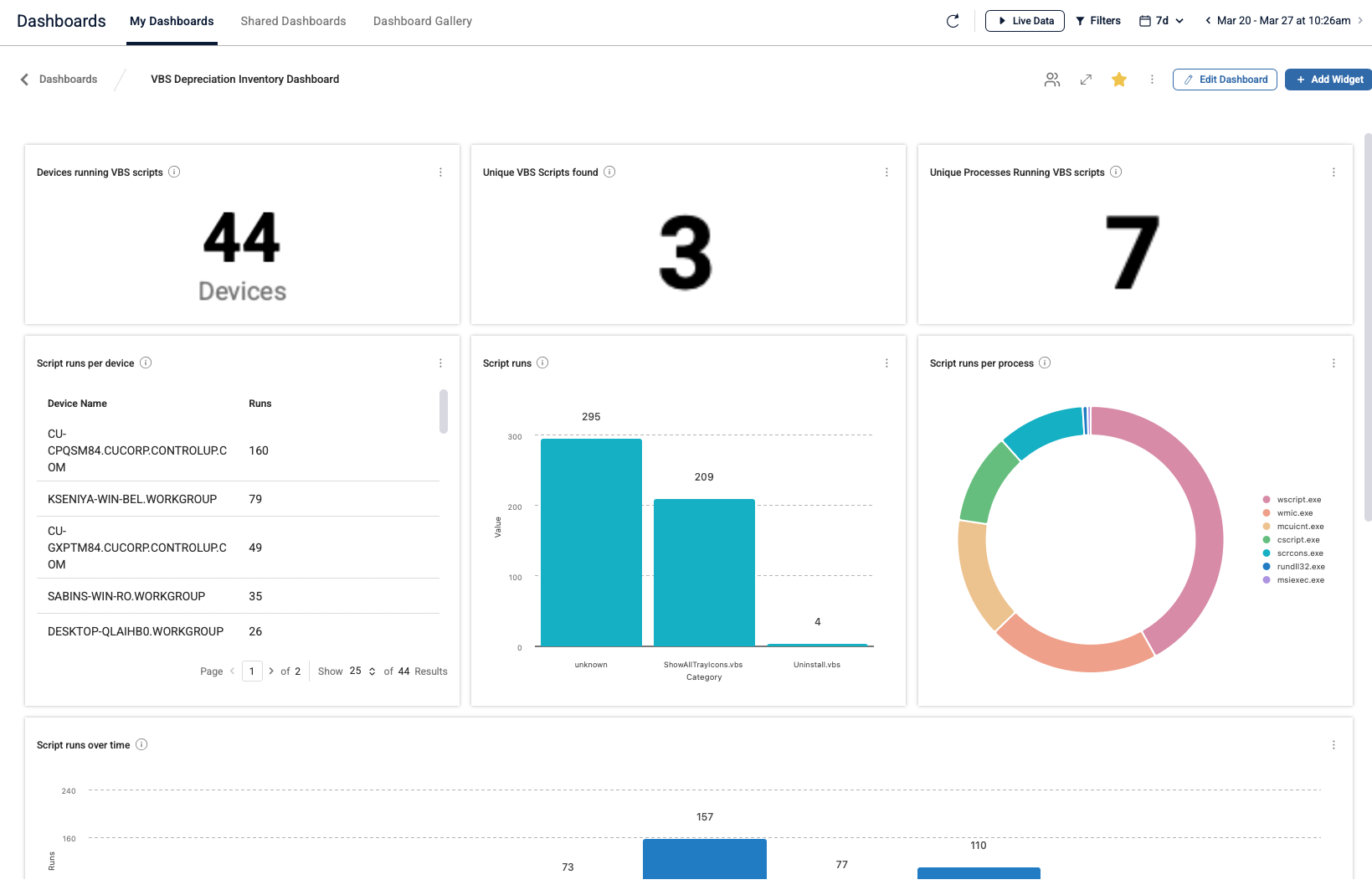
This data is then sent into a custom index and visualized in a dashboard.
From Raw Events to Actionable Insights
- Which scripts are still actively used
- Which processes are invoking VBScript (e.g., wscript.exe, legacy apps)
- How widespread the usage is across devices
- Trends over time (is usage increasing or decreasing?)
This transforms a vague risk into something measurable and actionable.

Start Tracking Today
To start collecting data for this dashboard:
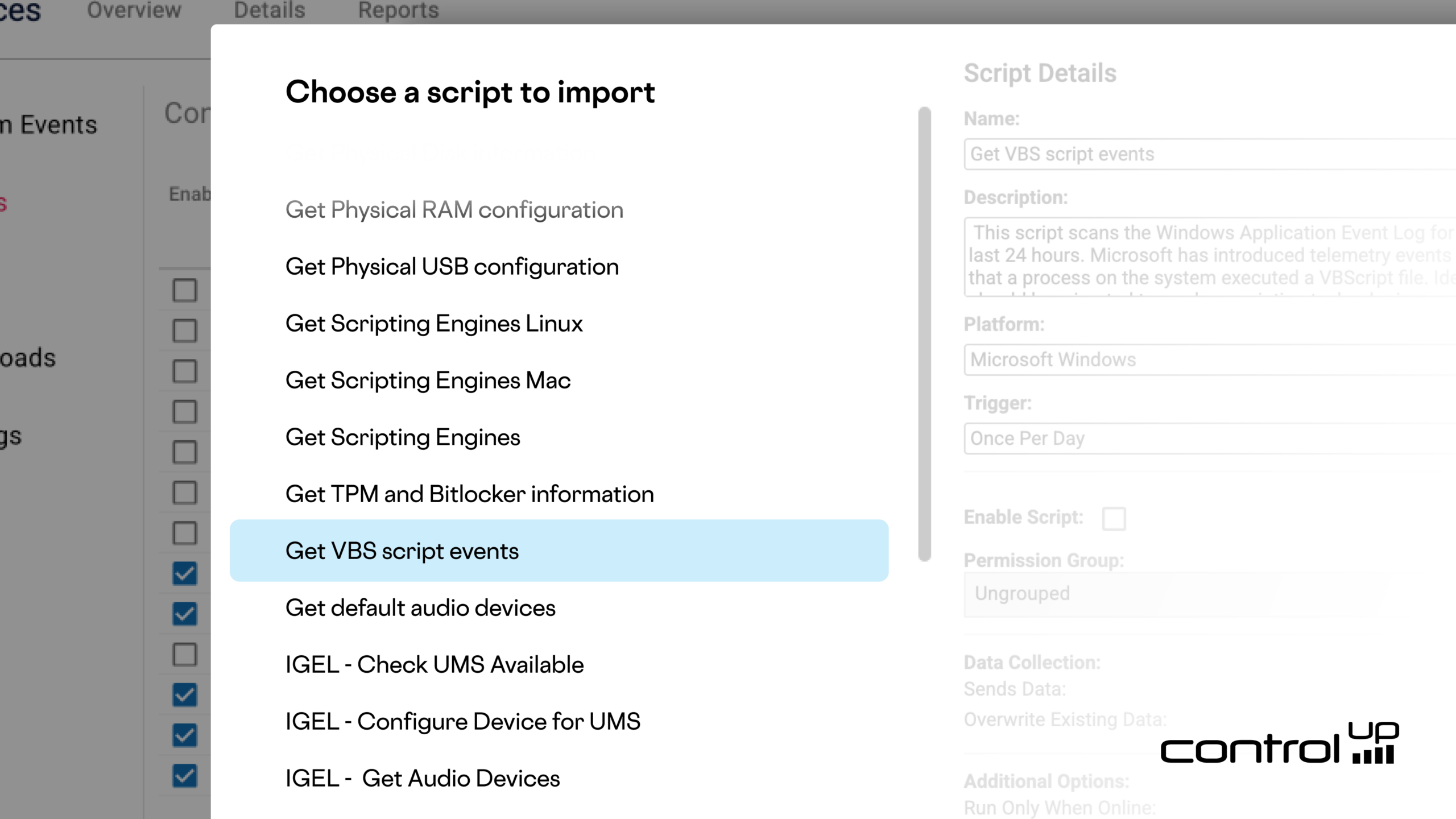
Go to
Devices → Scripts → Script Library
and import the script:
“Get VBS Script Events”
The script runs safely in the background and only reports data—no changes are made to the system.
Within minutes, you’ll start building a clear picture of VBScript usage across your environment.
Then in the dashboards gallery you will find the “VBS Depreciation Inventory Dashboard” to visualize the results.