
For many IT teams, data is abundant, but actionable insights are rare. When monitoring Digital Employee Experience (DEX), too much scattered data is just noise. That’s why we’re excited to introduce a consolidated events management view, your new centralized hub for DEX alert management.
This hub is designed to cut through the clutter of IT alert management, giving your teams laser focus and laying the essential groundwork for the future of automated remediation.
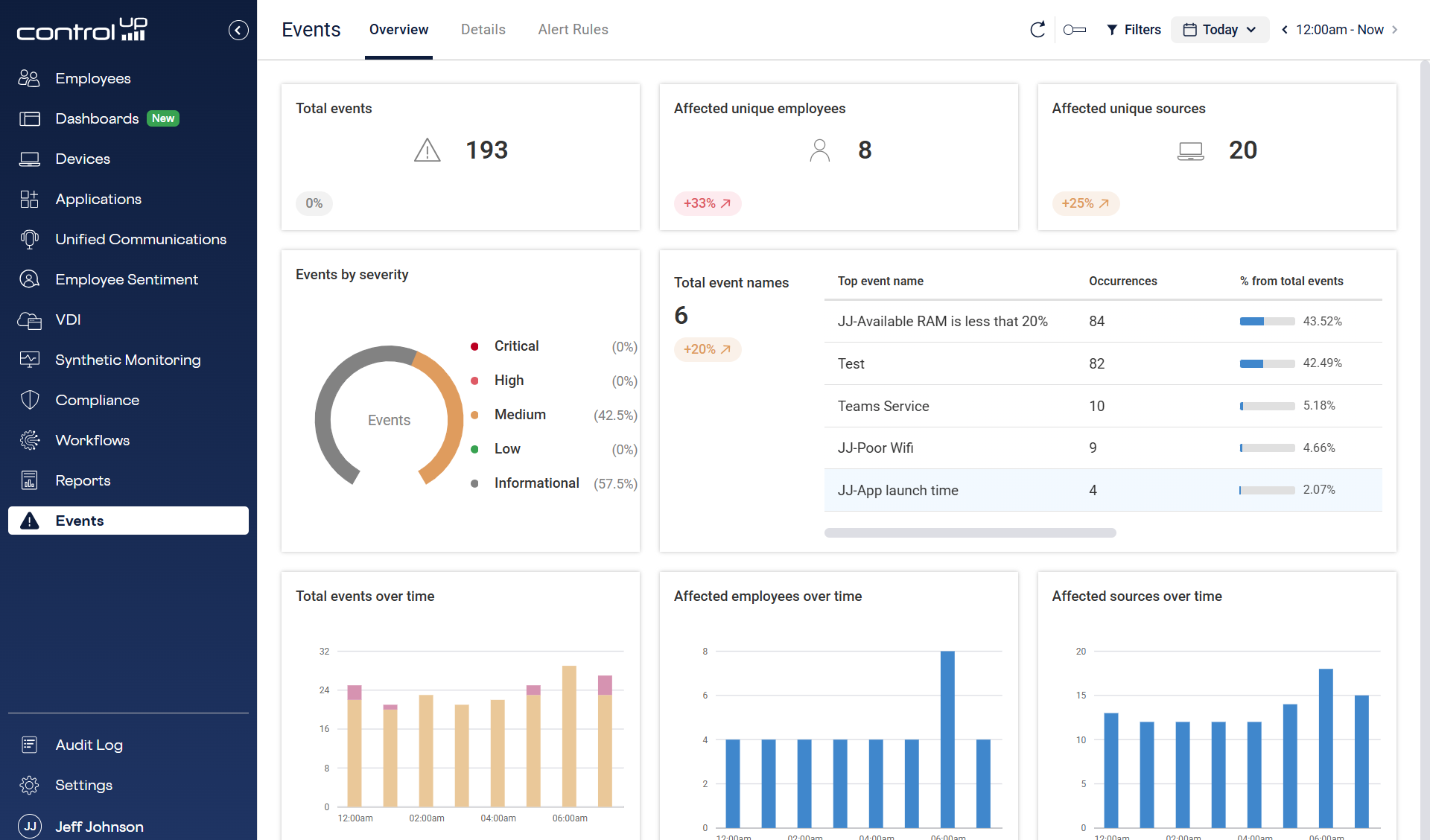
Centralized Visibility: Transforming DEX Noise to Actionable Alert Signal
The core value of consolidating events management is unified focus. We’re ending the era of siloed monitoring and information overload.
- One Place, All Alerts: Say goodbye to jumping between dashboards. This new view is your single, consolidated source for alerts and triggers generated across all ControlUp products, from virtual and physical desktops to apps and security.
- Intelligent, Not Just Raw Data: We don’t just dump raw telemetry data here. The events management view only presents intelligent, pre-filtered alerts and triggers. This allows your IT teams to focus purely on issues that are actively impacting employee experience, ensuring they move from reacting to noise to solving real problems.
- Foundation for Future Automated Remediation Workflows: By standardizing and centralizing this event stream now, you are building the necessary foundation to enable powerful, future capabilities like automated remediation and integrated workflows with tools like Microsoft Intune and ServiceNow.
Key Advantages: Instant Clarity for Proactive IT Operations and Forensic Analysis
Beyond centralization, the events management feature is built for speed and precision, offering critical capabilities that enhance both daily IT operations and deep forensic analysis.
Pinpoint the Source Instantly
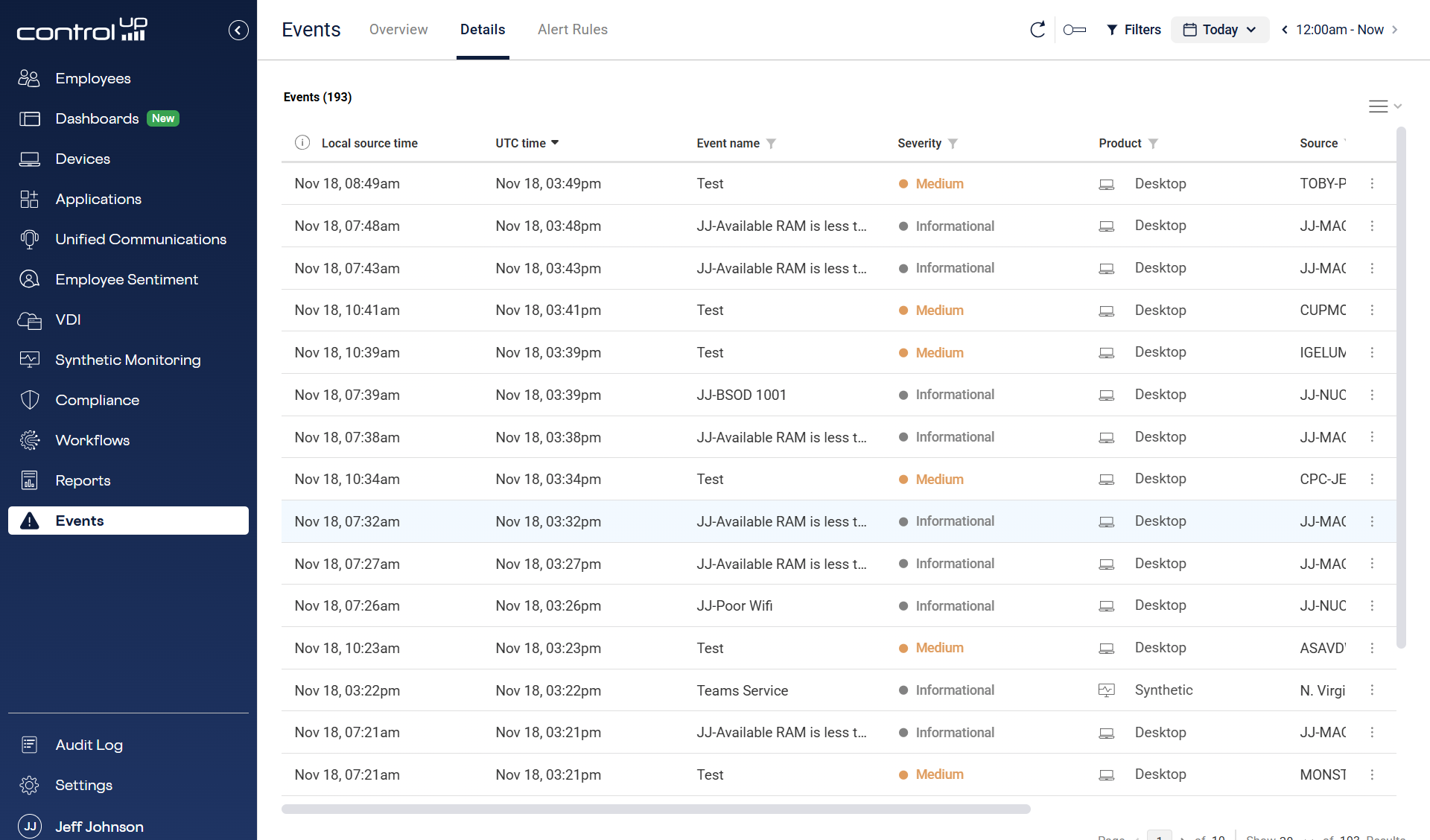
No more guessing games. Every alert entry provides a direct link that can immediately point you back to the source of the event/alert within the original ControlUp product. This eliminates time spent searching and immediately enables a deep investigation of the root cause.
Global Clarity, Local Relevance
Dealing with international teams and devices often means frustrating time zone math. We’ve solved this for you:
- All event data is stored as the absolute UTC Time for audit, correlation, and integrity.
- However, the default view is instantly converted to your local console time, eliminating manual calculations and making daily triage frictionless.
New Time Context Features
To make forensic analysis and collaboration easier than ever, we’ve introduced three clear time columns:
- Local Time (Analyst Time): The time the event occurred in your current time zone (this is the default view).
- Source Local Time: The time the event occurred on the source device.
- UTC Time: The absolute global time stamp.
UX and Navigation Improvements
To ensure speed and governance, the new interface includes a powerful usability enhancement:
- Deep-Link Alert Creation: Speed up standardization across your teams. The new interface supports deep-linking to the Alert Rule Creation Form, which automatically pre-populates the necessary data metrics from the URL. This drastically streamlines the process of creating consistent, new alerts based on a discovered event.
- Standardized Time Columns: The clean data presentation now locks your Local Time as the default view, making cross-geographic collaboration effortless and reducing errors.
Ready to see how the consolidated Events management view can bring unprecedented focus to your IT operations? Schedule a personalized demo or request a free trial.
