
ControlUp addresses the common challenge of slow monitoring platform deployment by offering rapid setup, immediate visibility, and efficient remediation for desktop and VDI environments.
- ControlUp for Desktops and VDI deploys in days, providing real-time visibility quickly through lightweight agents and flexible installation options.
- Key technologies include PulseAI Connect for AI-driven desktop diagnostics and an extensive script library for both desktop and VDI remediation, accelerating problem resolution.
- This approach enables IT teams to transition from reactive firefighting to proactive control, significantly reducing Mean Time To Resolution (MTTR) and enhancing user experience by delivering immediate operational value.
Here’s the thing most monitoring platforms won’t tell you: standing up their solution is only half the battle. The real cost isn’t the initial deployment—it’s the months you spend waiting to actually use it. While your environment sits unmonitored, incidents keep happening. Your IT team is flying blind. And every day without visibility is another day of reactive firefighting instead of proactive control.
ControlUp works differently.
Deployment Speed Changes Everything
ControlUp for Desktops and ControlUp for VDI deploy in days—sometimes less than a week. We’re talking lightweight agents, minimal dependencies, and straightforward deployment that doesn’t require weeks of pre-implementation planning or extensive infrastructure overhaul.
And it’s genuinely simple. For ControlUp for Desktops, you download the agent straight from the ControlUp portal, and it ships with silent command-line switches you can hand off to your software package manager or installation system. Push it out at scale the same way you’d deploy any other piece of software—no hand-holding required.

For ControlUp for VDI, you’ve got even more flexibility. You can deploy the agent via an MSI and silent install switches or add machines directly from Active Directory, DNS Name, IP address and a list in a text file
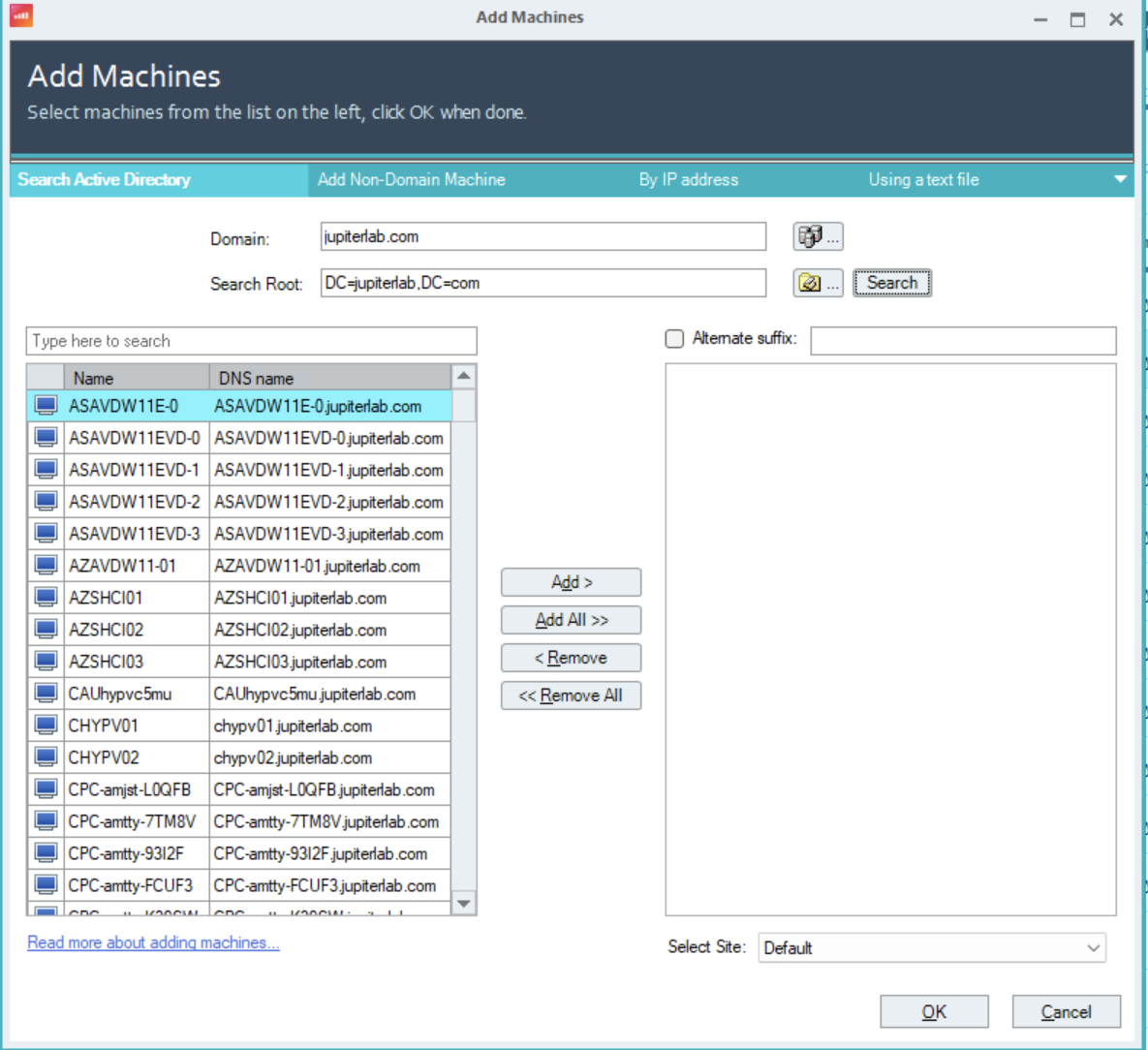
Or if you’ve connected your EUC environments or hypervisor infrastructure—just find the virtual machines listed in the console, right-click, and deploy the agent. That’s it. Whether it’s your broker environment or the underlying hypervisor, the machines are right there waiting for you.
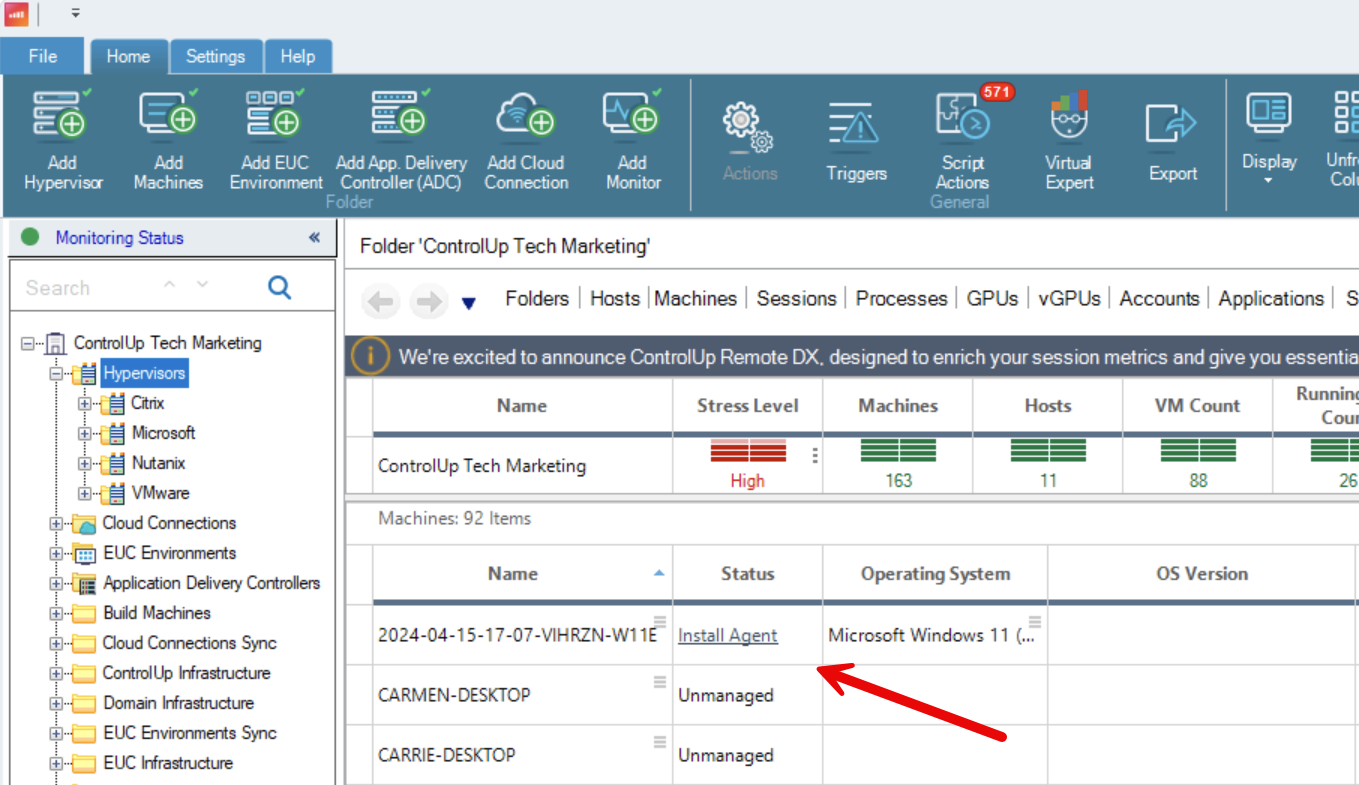
Your team can have agents running across your environment quickly, which means you move from “no visibility” to “complete visibility” on a timeline that actually makes sense.
But here’s where it gets interesting: speed of deployment only matters if it translates to speed of value.
Immediate Monitoring Visibility
The moment your agents are live, you’ve got real-time visibility into your environment. You can see performance bottlenecks, user experience issues, and potential problems—not next quarter, but today. That’s the foundation. But visibility alone doesn’t solve problems.
Where Remediation Changes the Game
This is what sets ControlUp apart. It’s not enough to see the problem; you need to fix it fast. ControlUp gives you two powerful ways to do that:
For ControlUp for Desktops, we’ve introduced PulseAI Connect—an AI agent that does the diagnostic thinking for you. Instead of spending hours defining scope, understanding root cause, and crafting solutions, PulseAI Connect reasons through the problem, proposes a resolution, and presents it to your IT team for validation. Your team stays in control, but the heavy lifting of problem-solving happens automatically. That’s a game changer.
For both Desktops and VDI, you’ve got access to our extensive script library—hundreds of pre-built remediation actions that solve classic issues in your environment. No custom coding required. No weeks of training. You browse the library, select what you need, and deploy it immediately. Common issues get resolved in minutes instead of days.
The Compounding Effect
Here’s where the real ROI shows up: you deploy fast, you monitor immediately, and you remediate intelligently—often within the same week. Every hour your environment was down in the past now becomes an hour you’re proactively controlling it. Every incident that used to take days to resolve now takes hours. Your MTTR drops. Your user experience improves. Your team stops reacting and starts leading.
That’s the ControlUp advantage. Not just fast deployment, but fast results.