
ControlUp's new Remote Monitoring and Management directly addresses the critical need for real-time endpoint visibility, overcoming the limitations of traditional RMM tools that rely on delayed or averaged data.
This solution delivers accurate, live data streams for performance metrics, active processes, network activity, storage utilization, and system configuration, replacing guesswork with precise, instantaneous insights.
It enables IT teams to proactively diagnose transient issues, validate configurations, and resolve problems faster across diverse environments, supporting multiple roles from security to asset management.
RMM is positioned as a foundational capability to transform reactive troubleshooting into proactive problem-solving, enhancing trust, accelerating resolution, and reducing operational risk in modern IT.
IT teams today face an impossible challenge: maintaining fast, reliable, and secure digital experiences while juggling countless devices, apps, and endpoints—all without interrupting end users. Yet most monitoring tools still rely on delayed, averaged, or stale data.
That gap between what’s actually happening on a device and what your tools show can lead to mistrust, wasted time, and missed opportunities to fix issues before they escalate.
At ControlUp, we’re changing that.
Our new Remote Monitoring and Management (RMM) experience delivers an accurate, instantaneous window into the health and activity of any endpoint. No more one-minute averages. No more switching between tools. No more guessing why a device is misbehaving. RMM gives IT teams the visibility, control, and confidence they’ve been asking for, especially those managing large, distributed environments where every second matters.
Real-time Visibility Matters More Than Ever
Customers have told us loud and clear: delayed data makes troubleshooting inefficient and unreliable. When an IT administrator sees CPU spikes on a device, but the monitoring dashboard shows something different, trust in the tool erodes and root cause analysis becomes nearly impossible.
ControlUp’s native Remote Monitoring and Management solves this by providing a true real-time data stream that hasn’t been averaged, showing exactly what’s happening on a device the moment it happens. That means:
- Identifying high resource processes as they misbehave
- Diagnosing transient performance incidents that averages hide
- Validating whether scripts, configurations, or policies applied successfully
- Reducing toggling between tools and preserving workflow context
Simply put: Remote Monitoring and Management helps IT teams replace guesswork with insights.
What Remote Monitoring and Management Delivers
Remote Monitoring and Management surfaces immediate, accurate telemetry on CPU, memory, disk I/O, network usage, processes, services, and more. This isn’t a refresh every 60 seconds; it’s a live stream. Admins can watch a device’s behavior change in real time as they troubleshoot, deploy fixes, or validate configuration updates.
1. Live Performance Metrics Monitoring
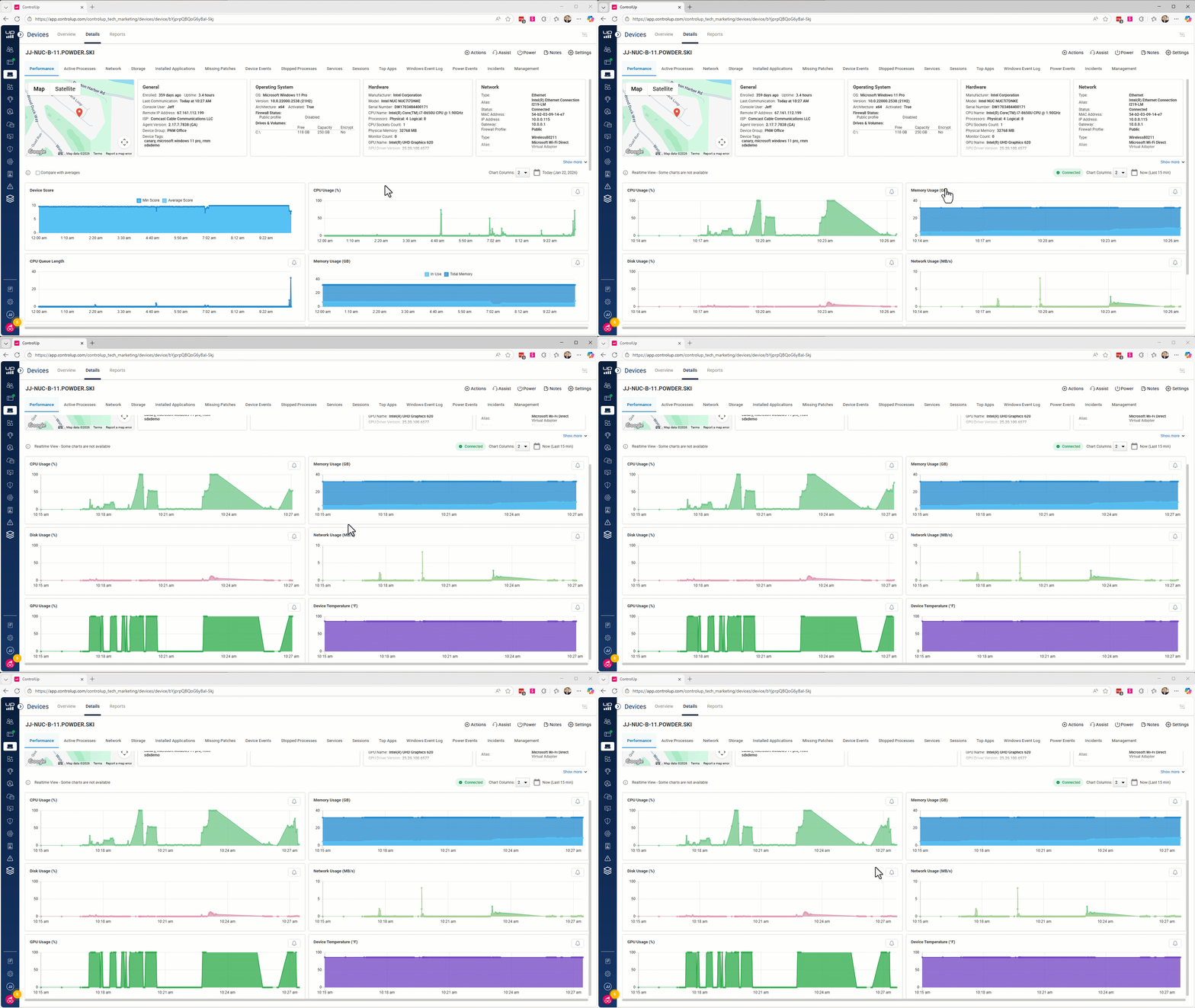
ControlUp’s ‘device dashboard view’ streams critical performance data at 3-second intervals. This helps IT gain a better view of live performance metrics critical for troubleshooting without disturbing the users.
2. Active Processes Management
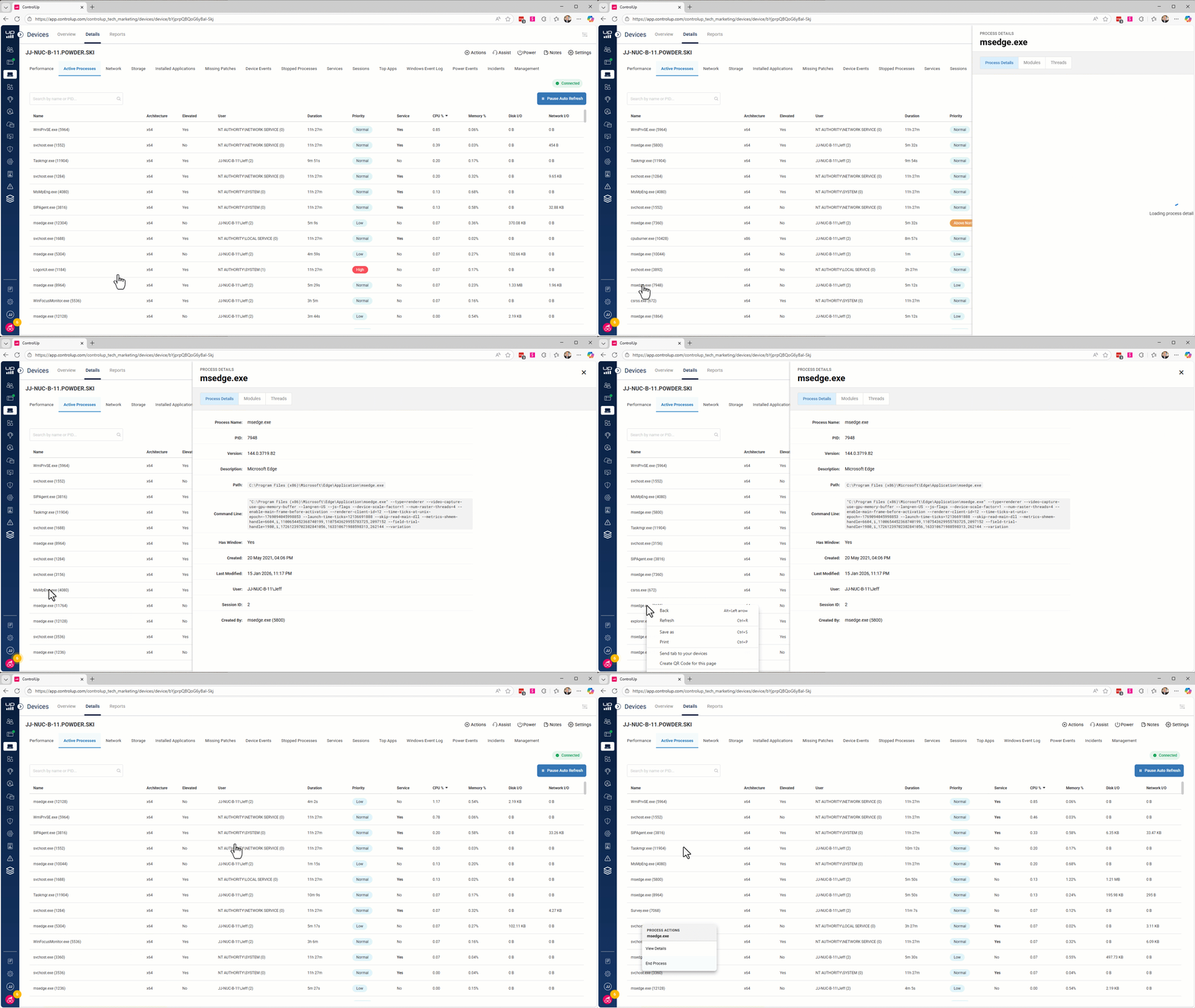
provides comprehensive real-time visibility into process activity. It enables system administrators to monitor process activity which helps to investigate resource usage issues, and it allows security analysts to validate injected DLLs.
3. Live Network Activity
The Network Monitor provides comprehensive real-time visibility into system network activity through multiple complementary views. It enables network administrators, security analysts, and system engineers to monitor TCP connections, analyze network interfaces, visualize geographic traffic patterns, and understand network topology.
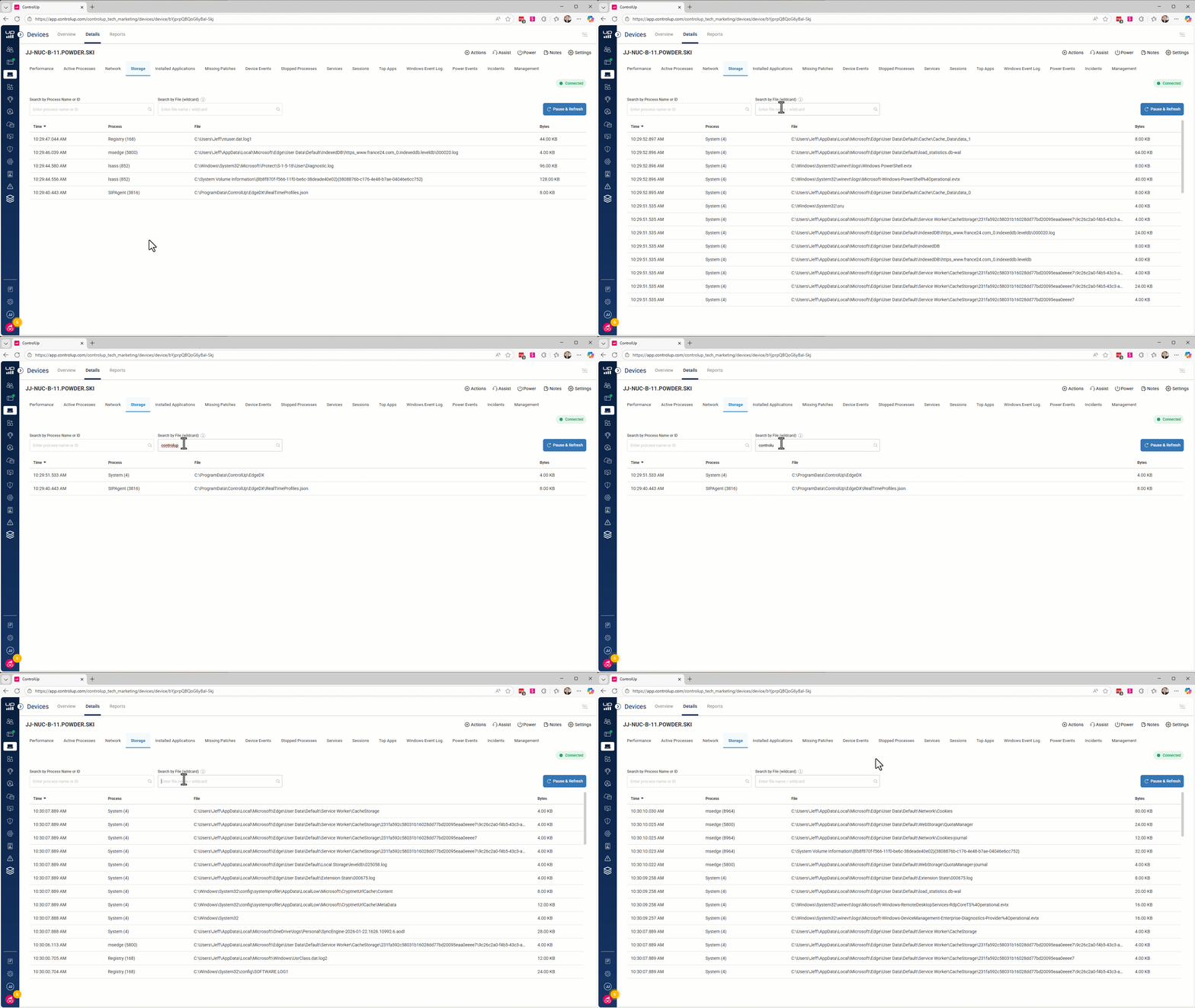
4. Live Storage Utilization
The Storage Activity Monitor provides comprehensive real-time visibility into process file write activity. It enables system engineers to investigate storage usage questions.
5. Live Disk and Registry Editor
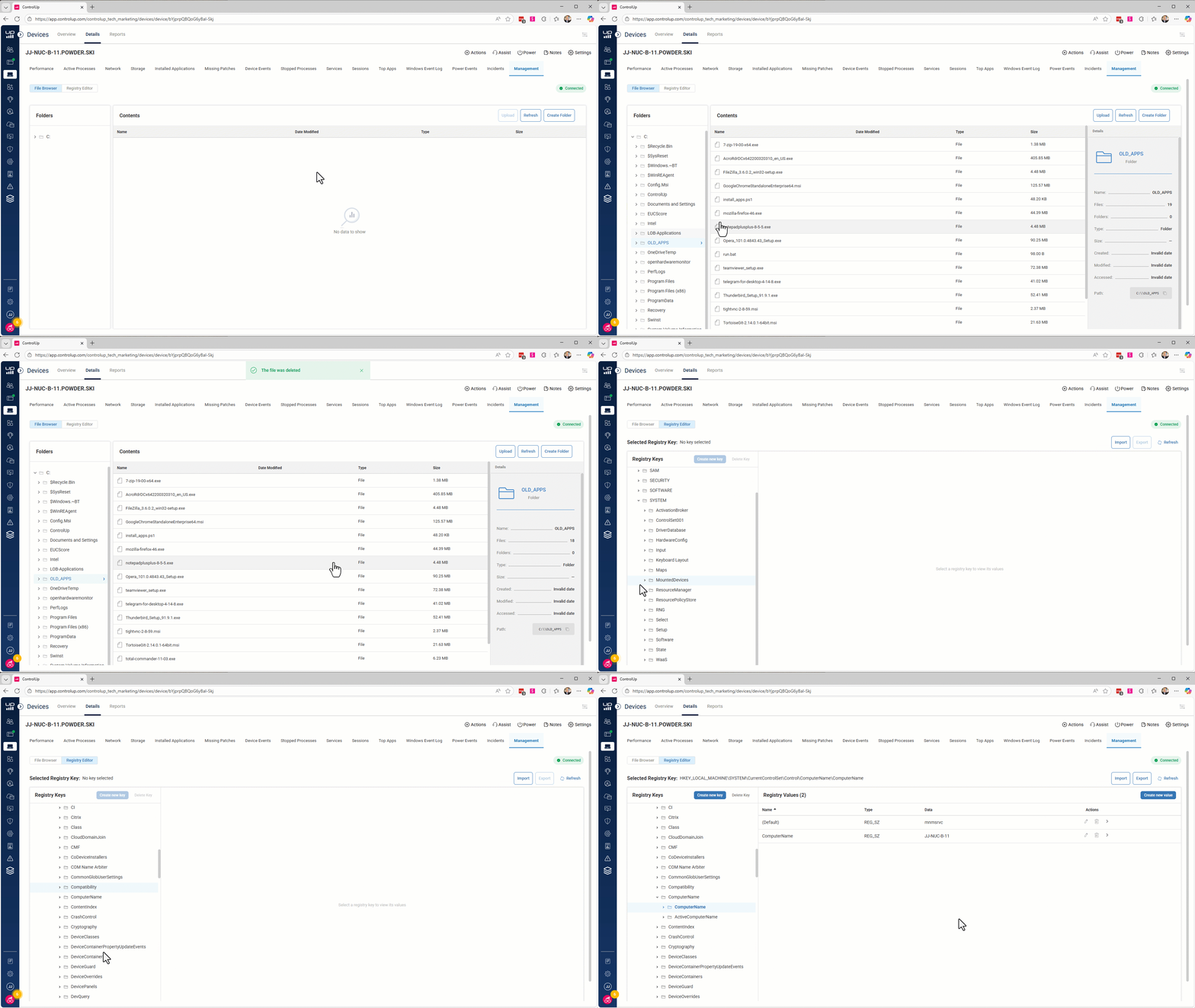
File Browser is a comprehensive file system navigation and management tool that provides system administrators with advanced file operations:
Registry Editor is a ‘replica’ of the Windows Registry editor with all CRUD functions for keys and values and includes import and export of .reg files.
A Single Pane of Glass for Multiple Roles
Our RMM capability isn’t just for system administrators. It supports multiple stakeholders:
- Security teams can review active network connections and identify suspicious activities.
- Asset managers can verify installed software to ensure licensing compliance.
- IT onboarding teams can run health checks to ensure proper configuration.
A Foundation for the Future of IT Troubleshooting
This release is more than a feature; it’s a foundational capability to assist organizations in monitoring and managing modern endpoints. It strengthens trust, accelerates problem resolution, and reduces operational risk. It also lays the groundwork for deeper insights and automation powered by upcoming updates. Each step brings us closer to a unified, end-to-end troubleshooting experience that empowers IT to solve problems before users even notice them.
See Everything. Miss Nothing. Fix Issues Faster.
RMM transforms how IT teams understand the health and behavior of their environment. It replaces guesswork with clarity. It turns reactive firefighting into proactive problem solving. And it ensures that what you see is what’s truly happens every second.
This is the future of endpoint monitoring and management…And we’re just getting started.
Explore Remote Monitoring and Management →
