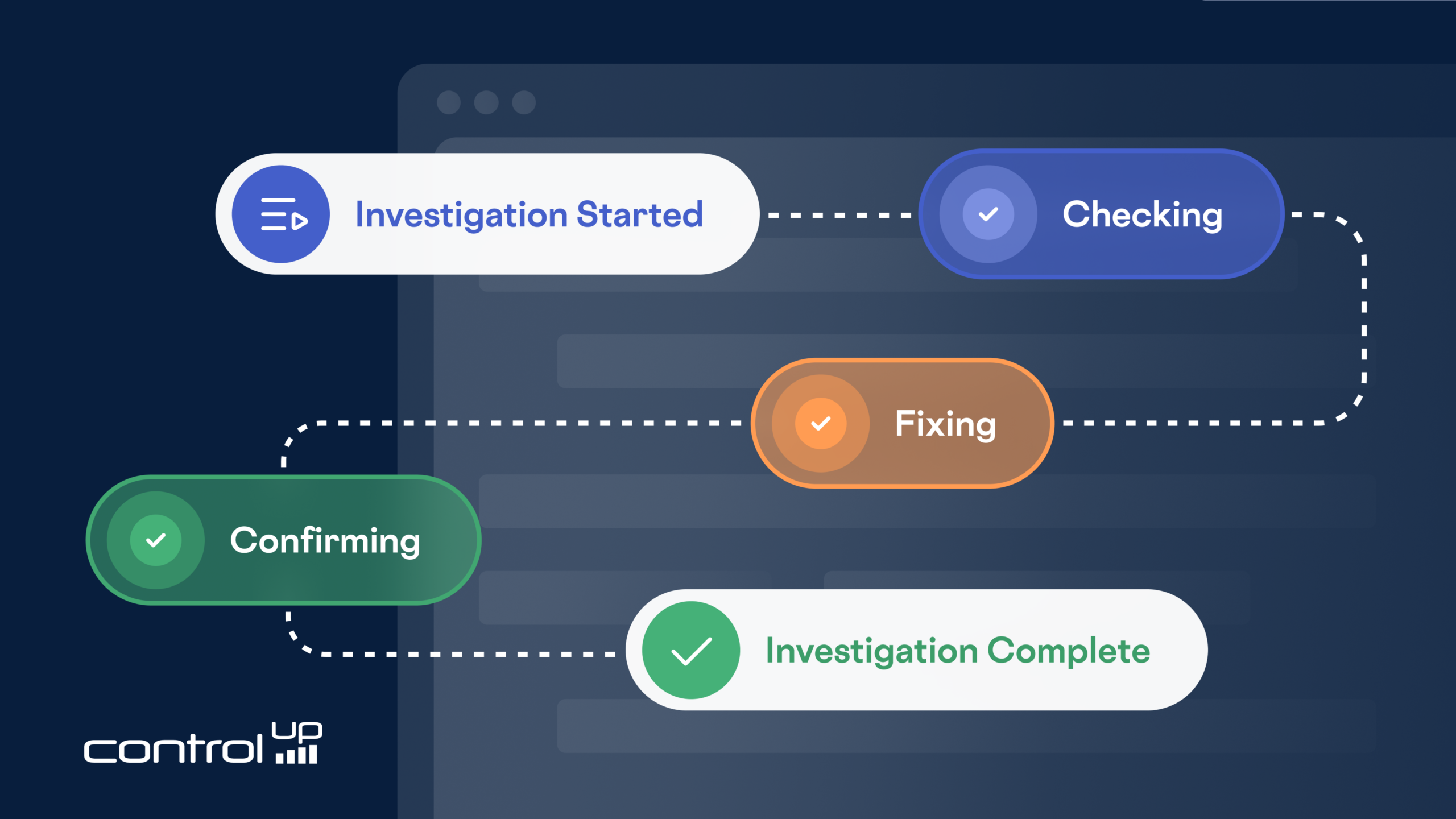
Pulse AI Resolve offers an AI-powered solution designed to automatically resolve common IT issues directly on endpoints, significantly reducing service desk ticket volume and improving overall productivity.
- The technology, Pulse AI Resolve, functions as an endpoint-resident AI assistant for employees that proactively detects and remediates issues or responds to user-described problems. It aims to execute fixes directly before a ticket is ever created.
- It incorporates robust IT governance features, allowing teams to review and approve automated resolutions, and learns from recurring problems to apply faster, proven fixes across the environment.
- Based on analysis of more than 200,000 real tickets, Pulse AI Resolve can deflect about 36% of service desk tickets. It can save thousands of hours for IT support teams and employees by resolving routine issues at the source, like software provisioning, email, and VPN problems.
Every IT leader knows the math. A ticket gets opened, it sits in a queue, an agent picks it up, triages it, maybe remotes into the machine, works the issue, documents it, and closes it. Multiply that by tens of thousands of tickets a quarter, and the service desk becomes one of the most predictable and most stubborn costs in IT.
But here’s the part that should sting: a huge share of those tickets never needed to exist. The missing application. The Outlook profile that won’t connect. The VPN client that needs a reset. These aren’t hard problems. They’re frequent problems, and frequency is exactly what buries a service desk.
Pulse AI Resolve exists to make those tickets disappear. Not by routing them faster, but by resolving the issue on the endpoint, in the moment, before a ticket is ever created.
What Pulse AI Resolve Is
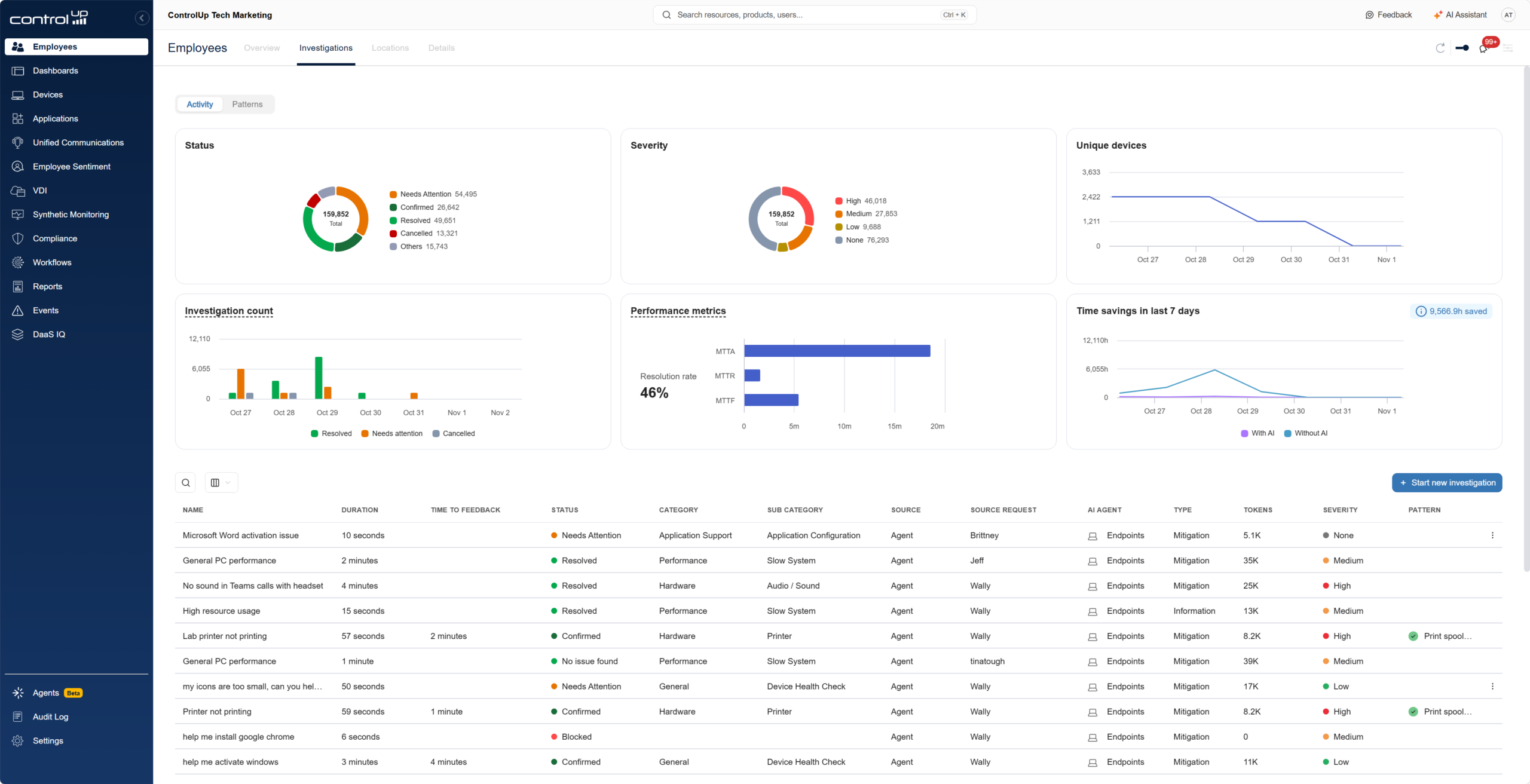
Pulse AI Resolve is a new member of the ControlUp Pulse AI family: an AI-powered assistant that lives quietly in the system tray of every managed endpoint. Employees can open it any time they hit a problem and describe the issue in plain language. No forms, no category dropdowns, no “please select the option that best describes your issue.”
But Pulse Resolve doesn’t just wait to be asked. Because it runs on the endpoint with visibility into what’s actually happening on the device, it surfaces proactively when it detects trouble, like a CPU pinned at 100% or memory pressure grinding the machine to a crawl. The moment the employee is most frustrated is the moment help appears, unprompted.
From there, Pulse Resolve does something genuinely different from the chatbots most employees have learned to ignore. It doesn’t hand back a knowledge-base article and wish the user luck. It uses AI to generate a remediation tailored to the issue and the machine in front of it, and executes the fix directly on the endpoint. The user describes the problem; the problem gets fixed. That’s the whole interaction.
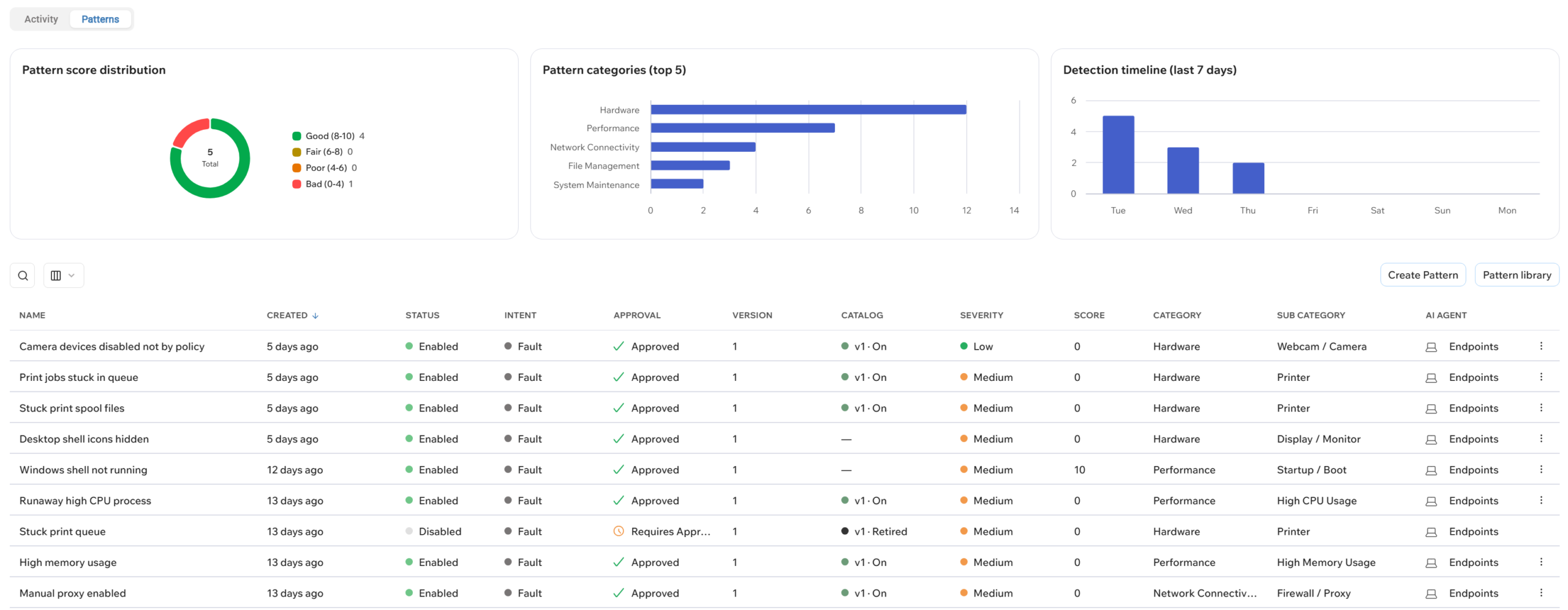
And Pulse Resolve gets faster the more it works. When it detects the same class of problem recurring across the environment, it builds a pattern: a proven, ready-to-go resolution for that issue. The next time the problem appears on any endpoint, Pulse Resolve short-circuits the AI reasoning step entirely and applies the known fix immediately. The first few occurrences of an issue get diagnosed; the next gets resolved on sight. In an enterprise environment where the same handful of problems generate thousands of tickets, that compounding effect is where the real speed lives.
Built With IT in the Loop, Not Cut Out of It
The obvious question, and the one every IT admin should ask about any product that says “AI executes scripts on endpoints,” is this: who’s checking the AI’s work?
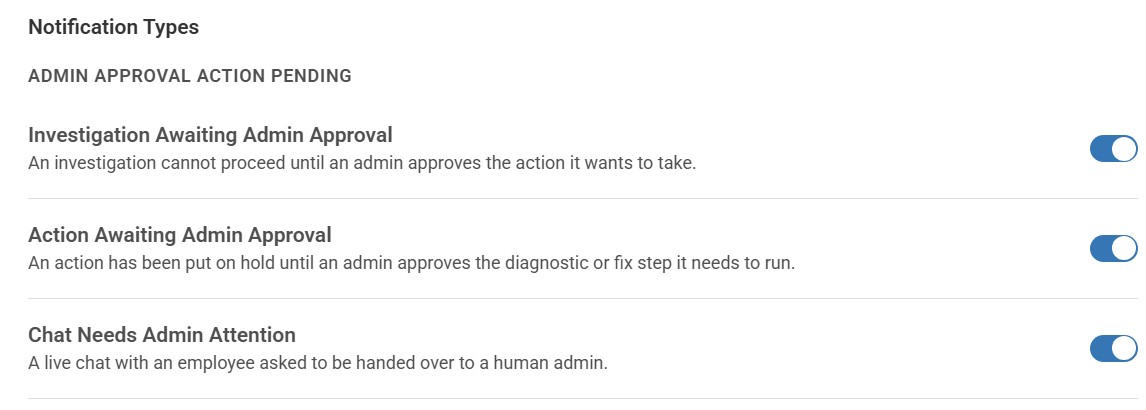
You are. Pulse Resolve is designed with governance as a feature, not an afterthought. Automations can be gated so that IT reviews the generated code and approves it before it runs. Your team decides which categories of fixes run autonomously and which require a human in the loop to validate and accept the solution. As confidence builds in specific remediations, you can graduate them to fully automated, on your timeline and with your sign-off.
This is the difference between an AI that helps your IT organization and an AI that your IT organization has to clean up after. Pulse Resolve is built for the former.
What the Data Says: 200,000 Real Tickets, One Hard Question
Vendors love to make claims about AI-driven ticket resolution. We wanted numbers we could actually stand behind, so we went looking for them the hard way.
We analyzed real service desk history: over 200,000 tickets, across dozens of organizations, complete with ticket transcripts, open durations, whether remote access was required, and whether the issue was ultimately resolved. Not a curated pilot. Not a hand-picked category of easy wins. The queues covered everything employees actually contacted the service desk over a full quarter to a year.
Then we asked one question of every ticket: could Pulse AI Resolve have handled this before it became a ticket at all?
The answer:
- ~36% of tickets, roughly 75,000 of them, could have been fully deflected by Pulse Resolve. These are issues where the capability exists today to detect, diagnose, and remediate on the endpoint without a human agent ever getting involved.
- Include the borderline cases, meaning tickets where deflection is plausible depending on environment specifics, and the number rises to ~43%.
- The average handling time across those deflectable tickets worked out to almost exactly 30 minutes per ticket, which puts the total at more than 36,000 hours of service desk time.
Annualize that and you’re looking at the equivalent of dozens of full-time agents’ worth of effort spent on tickets that a system-tray assistant could have quietly resolved before anyone typed a ticket description.
And here’s the part that ticket metrics quietly hide: every one of those tickets consumed two people’s time, not one. The 36,000+ hours we measured is ticket time, the duration a ticket sat open with a service desk agent working it. But on the other end of every ticket was an employee who couldn’t do their job. They stopped work to describe the problem, waited in a queue, sat through a remote session, and context-switched away from whatever they were actually paid to do. Measured in human time, the total hours people actually lost, and the cost doubles: a 30-minute ticket is 30 minutes of ticket time, but an hour of human time, split between the agent working the issue and the employee stuck waiting on it. And that’s before counting the productivity tax of a broken machine for however long the employee limped along before asking for help.
Deflection collapses both sides of that equation at once. When Pulse Resolve fixes the issue on the endpoint in the moment, there’s no agent spending 30 minutes on it and no employee spending 30 minutes stuck in the support process. The fix happens where the person already is, and everyone gets back to work.
What Kinds of Tickets Get Deflected?

When we bucketed the deflectable tickets, a clear picture emerged, and it’s a picture most IT leaders will recognize from their own queues.
Software provisioning dominated, accounting for roughly a third of the deflectable volume: installs, uninstalls, missing applications, and wrong-version issues. These are the definition of toil. Well-understood, highly repeatable, and a perfect fit for automated remediation.
Outlook and email issues and VPN, proxy, and web access problems formed the next tier, each a substantial slice of the pool. Close behind came Teams and AV peripheral issues (the “my camera doesn’t work two minutes before the meeting” ticket that every service desk knows intimately) and endpoint performance and stability problems, the exact category where Pulse Resolve’s proactive detection shines, because it can intervene the moment CPU or memory conditions degrade rather than waiting for the user to give up and file a ticket.
The long tail rounded out with broken or blocked developer tooling, line-of-business application issues, authentication and credential problems, printers and scanners, OneDrive and file sync, and general how-to questions.
Notice what this list is: it’s the everyday. Not exotic infrastructure failures, but the routine friction that generates the bulk of ticket volume and quietly erodes both employee productivity and service desk capacity.
Be Wary of Numbers That Sound Too Good
AI in IT support has a math problem. Big numbers win headlines. The bigger the number, the faster it spreads: 70%, 80%, 90% resolution rates. When a figure sounds too good to be true, it’s worth asking how it was measured.
The answer is usually in the denominator. A resolution rate measured only on the conversations an AI agent was handed, inside a pilot of hand-picked, best-case customers, tells you how good the bot is at what it was asked to do. It doesn’t tell you how much of your ticket queue goes away. Those are very different numbers. A business case built on the first one tends to fall short when the second one shows up in production.
That’s why we measured the hard way. Our 36% comes from more than 200,000 real tickets across dozens of organizations: the full, unfiltered queue. No pre-selected categories. No cherry-picked deployments. Just everything employees actually contacted the service desk about, and one question: could Pulse Resolve have stopped this before it became a ticket?
And 36% is an average, not a promise. Some organizations will land higher, some lower. What gets deflected depends on who your users are and what they do all day. When we broke the data out by industry, each one had its own pattern:
- Manufacturing: Joiners and leavers (28%) and access requests (16%). Plant and shift workers lock themselves out, often.
- Construction: Access (24%) and joiners and leavers (17%).
- Technology: Joiners and leavers (42%) and access (34%) dominate. That’s what you’d expect from fast-growing companies that hire constantly.
- Insurance: Endpoint and application self-healing leads at 36%.
- MSPs: Monitoring alerts and system noise make up 35%. Automated alerts turn into tickets, a familiar pattern on managed-services desks.
- Non-profit: Email and Office faults (32%) and how-to questions (14%). Lots of everyday user support.
- Healthcare: Hardware and peripherals account for 53%, from barcode scanners to workstation carts and displays, plus printing.
Percentages show each category’s share of that industry’s deflectable tickets.
The takeaway isn’t one magic number. The opportunity is real in every industry. It just shows up in different places. The best way to know your number is to measure it against your own ticket data.
Part of a Bigger Story
Pulse AI Resolve isn’t a bolt-on chatbot. It’s the newest expression of how ControlUp thinks about AI across the platform: AI that acts on real endpoint telemetry, does real remediation work, and keeps IT in control of what runs where. The same philosophy that powers the rest of the Pulse family, using intelligence to shrink the distance between “something is wrong” and “it’s fixed,” now extends all the way to the employee’s desktop, in a conversation the employee actually wants to have.
And because Pulse Resolve works at the endpoint, its wins compound. Every deflected ticket is time returned to the service desk, an interruption removed from an employee’s day, and, through patterns, a resolution that arrives even faster the next time the issue appears anywhere in your environment.
Read more: Fix Employee Support Issues Faster with Pulse AI Resolve →
The Bottom Line
The service desk of the future isn’t one that closes tickets faster. It’s one that receives fewer tickets in the first place, because the routine, repetitive, well-understood issues are resolved on the endpoint, automatically, with IT governance intact.
Based on real data from 200,000 real tickets, that future is worth roughly a third of your queue and thousands of hours per quarter, recovered on both sides of the ticket: from the service desk and from the employees it serves. Pulse AI Resolve is how you claim it.
Ready to see what Pulse AI Resolve can deflect in your environment? Contact our team to start a trial and put your own ticket data to the test.