ControlUp offre un ensemble riche de capacités pour améliorer l'expérience numérique des employés qui utilisent n'importe quel bureau, n'importe quelle application, n'importe où.
Pulse AI analyzes real-time patterns across endpoints, apps, networks, and users. It suppresses expected activity to detect and alert only what matters.
Monitor, troubleshoot, and optimize every virtual desktop before slow sessions and app crashes interrupt your workforce.
ControlUp pour les ordinateurs de bureauStay in control of every device. Prevent desktop issues before they disrupt employees or flood your IT queue.
ControlUp pour la conformitéAutomate endpoint compliance across every device. Close security gaps and enforce policies without slowing IT down or getting in the way.
Pinpoint and fix SaaS and web app issues fast with real-time visibility across every device, browser, and network before employees feel the impact.
ControlUp Migrate pour Windows 365Migrate faster with less risk. Automated workflows replace manual steps, so your move to Cloud PCs is done right.
ControlUp DaaS IQIntelligent autoscaling and cost control for Azure Virtual Desktop environments.
Smarter root cause analysis, automated remediation, and AI-powered diagnostics. Fix issues faster across every device and app.
Rattrapage et remise en étatDeploy patches and remediate vulnerabilities across every endpoint, automatically and at scale. Stay secure without overwhelming IT.
Atténuation des risques liés aux points finauxSpot, prioritize, and remediate risks automatically. Keep endpoints secure and compliant without slowing desktop teams down.
Gestion à distance en directReal-time endpoint telemetry and silent remote remediation. See and fix issues the moment they happen, without disrupting the employee.
Proactively prevent issues and resolve tickets faster wherever hybrid workers are, whatever device they’re on.
Opérations informatiques autonomesShift IT from reactive to autonomous. Automatically detect, remediate, and prevent issues across your entire estate.
Augmenter l'efficacité des technologies de l'informationDo more with less. One platform to centralize visibility, streamline operations, and free IT to focus on what actually matters.
Optimisation des coûts informatiquesRight-size VDI, reclaim unused licenses, and make smarter device refresh decisions backed by real usage data and performance metrics.
Découvrez du contenu, des outils et des idées pour simplifier l'informatique et améliorer l'expérience numérique des employés.
Une organisation mondiale de professionnels de la technologie qui transforme le marché de la surveillance des postes de travail.
ControlUp offre un ensemble riche de capacités pour améliorer l'expérience numérique des employés qui utilisent n'importe quel bureau, n'importe quelle application, n'importe où.
Pulse AI analyzes real-time patterns across endpoints, apps, networks, and users. It suppresses expected activity to detect and alert only what matters.
Monitor, troubleshoot, and optimize every virtual desktop before slow sessions and app crashes interrupt your workforce.
ControlUp pour les ordinateurs de bureauStay in control of every device. Prevent desktop issues before they disrupt employees or flood your IT queue.
ControlUp pour la conformitéAutomate endpoint compliance across every device. Close security gaps and enforce policies without slowing IT down or getting in the way.
Pinpoint and fix SaaS and web app issues fast with real-time visibility across every device, browser, and network before employees feel the impact.
ControlUp Migrate pour Windows 365Migrate faster with less risk. Automated workflows replace manual steps, so your move to Cloud PCs is done right.
ControlUp DaaS IQIntelligent autoscaling and cost control for Azure Virtual Desktop environments.
Smarter root cause analysis, automated remediation, and AI-powered diagnostics. Fix issues faster across every device and app.
Rattrapage et remise en étatDeploy patches and remediate vulnerabilities across every endpoint, automatically and at scale. Stay secure without overwhelming IT.
Atténuation des risques liés aux points finauxSpot, prioritize, and remediate risks automatically. Keep endpoints secure and compliant without slowing desktop teams down.
Gestion à distance en directReal-time endpoint telemetry and silent remote remediation. See and fix issues the moment they happen, without disrupting the employee.
Proactively prevent issues and resolve tickets faster wherever hybrid workers are, whatever device they’re on.
Opérations informatiques autonomesShift IT from reactive to autonomous. Automatically detect, remediate, and prevent issues across your entire estate.
Augmenter l'efficacité des technologies de l'informationDo more with less. One platform to centralize visibility, streamline operations, and free IT to focus on what actually matters.
Optimisation des coûts informatiquesRight-size VDI, reclaim unused licenses, and make smarter device refresh decisions backed by real usage data and performance metrics.
Découvrez du contenu, des outils et des idées pour simplifier l'informatique et améliorer l'expérience numérique des employés.
Une organisation mondiale de professionnels de la technologie qui transforme le marché de la surveillance des postes de travail.

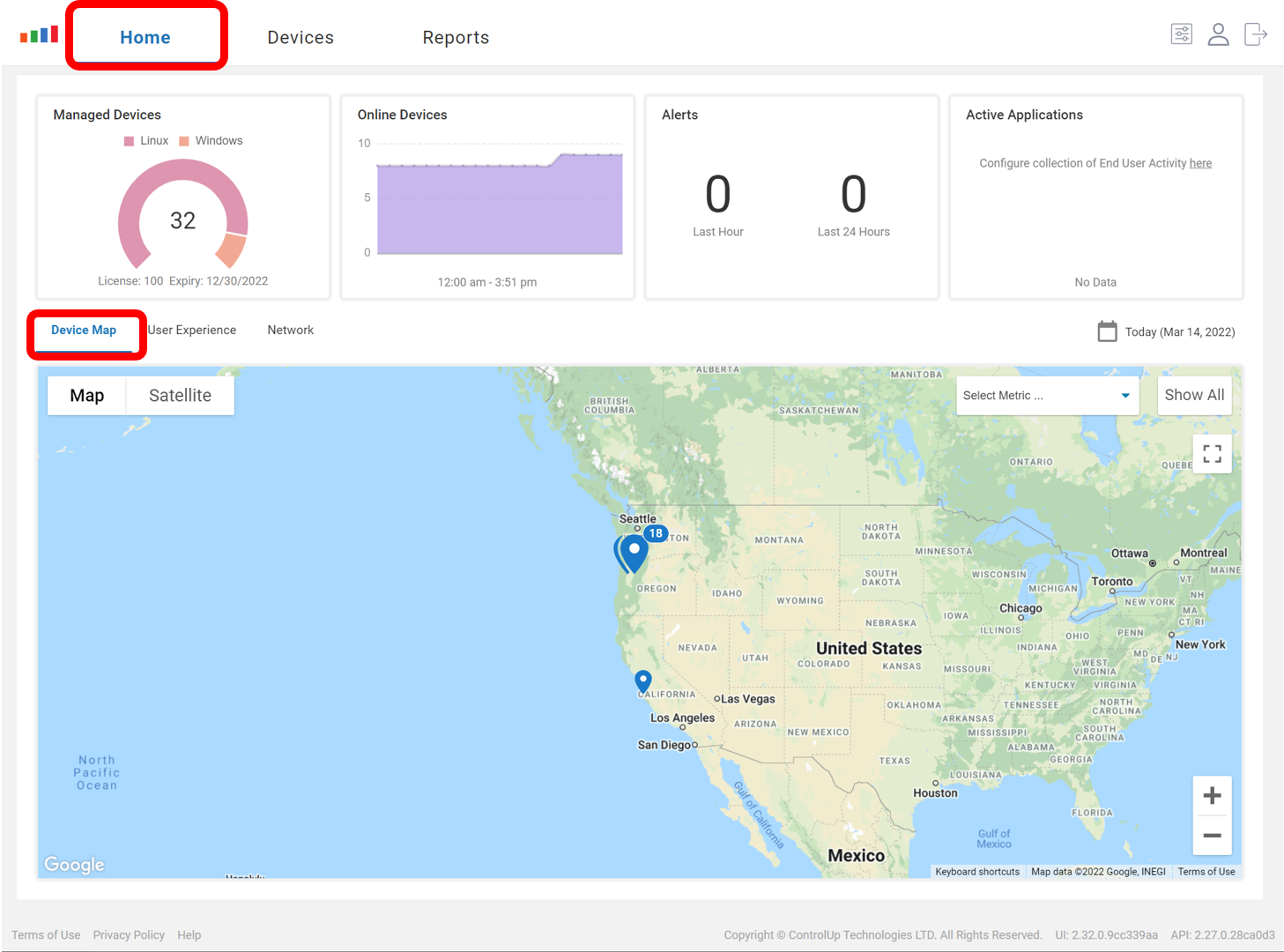
To use this feature, go to the Homepage of Edge DX. On the Device Map widget, you’ll see the location of the devices in your environment.
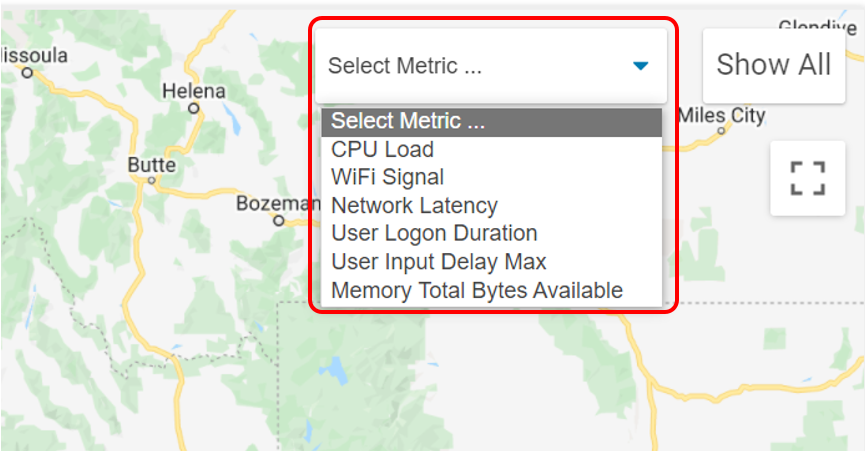
Then, select the metric that you’d like to monitor from the map from the Select Metric drop-down menu.
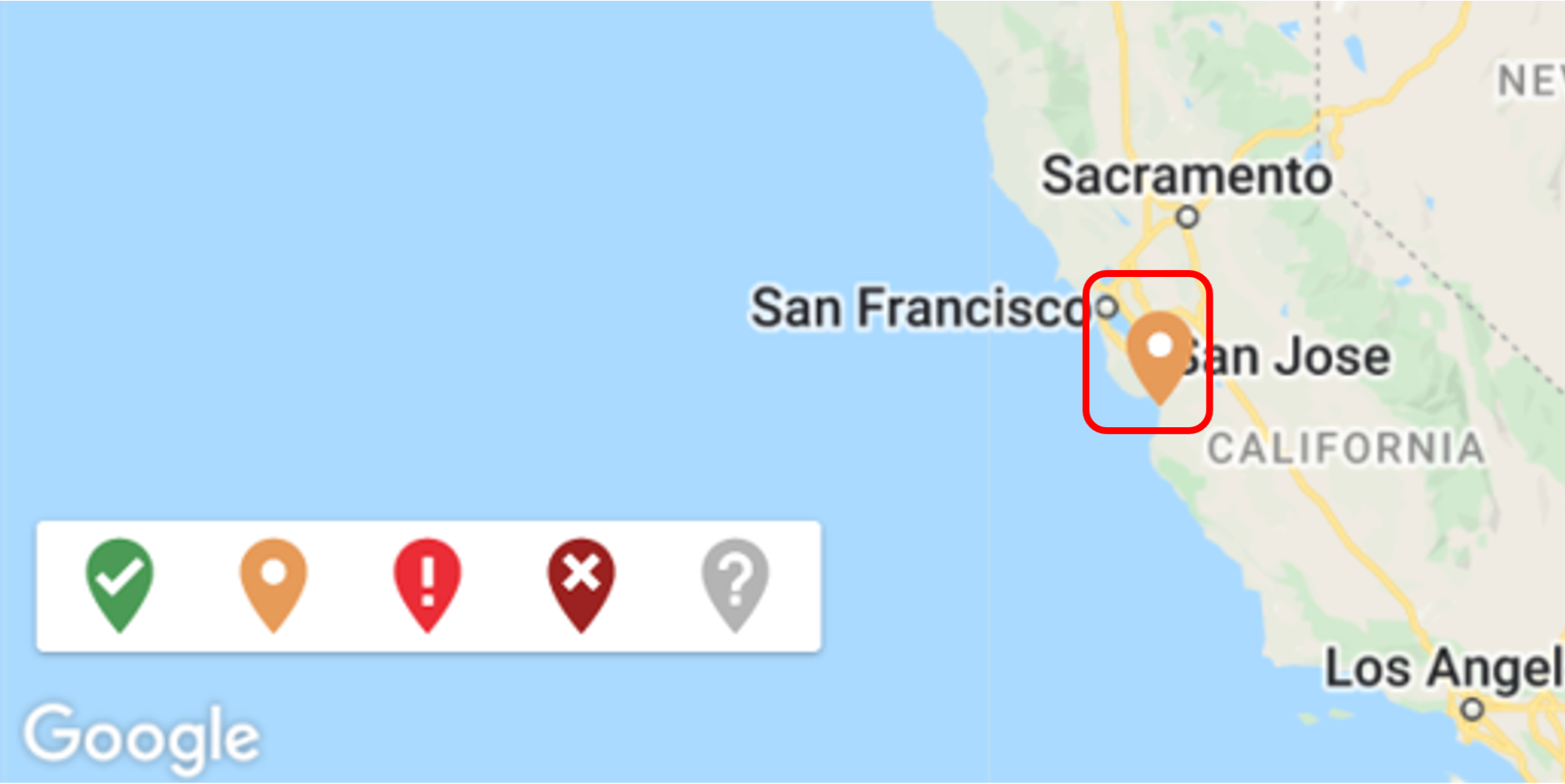
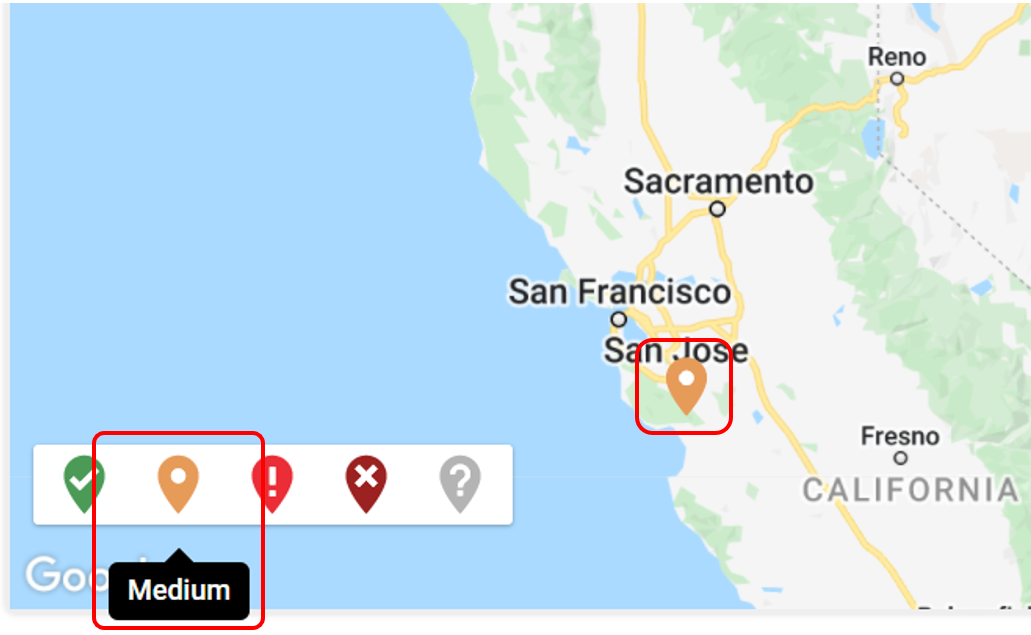
Once selected, the map will color-code the location pins and display them in a legend. In this case, Network Latency was selected and a device located in California had an orange pin, which is a medium health indicator.
You can then click the location pin to dive in deeper, pull more metrics on the device, and investigate the issue further.
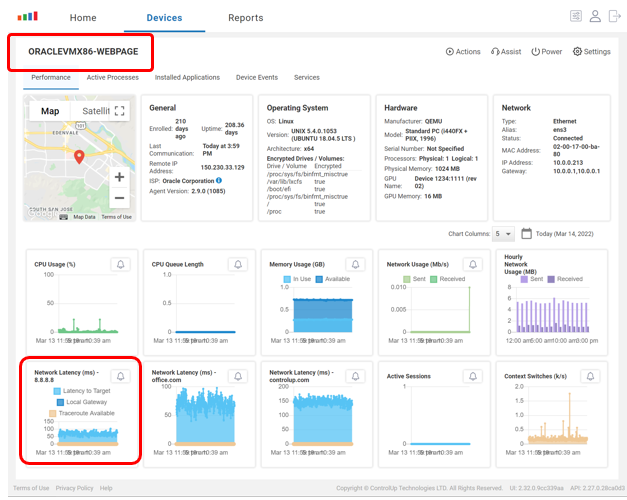
This feature can greatly enhance your ability to find geocentric problems. For example, you’ll be able to tell, at a glance, if an entire datacenter or region of the world has a network slow-down or if it’s just a single device that’s having an issue.
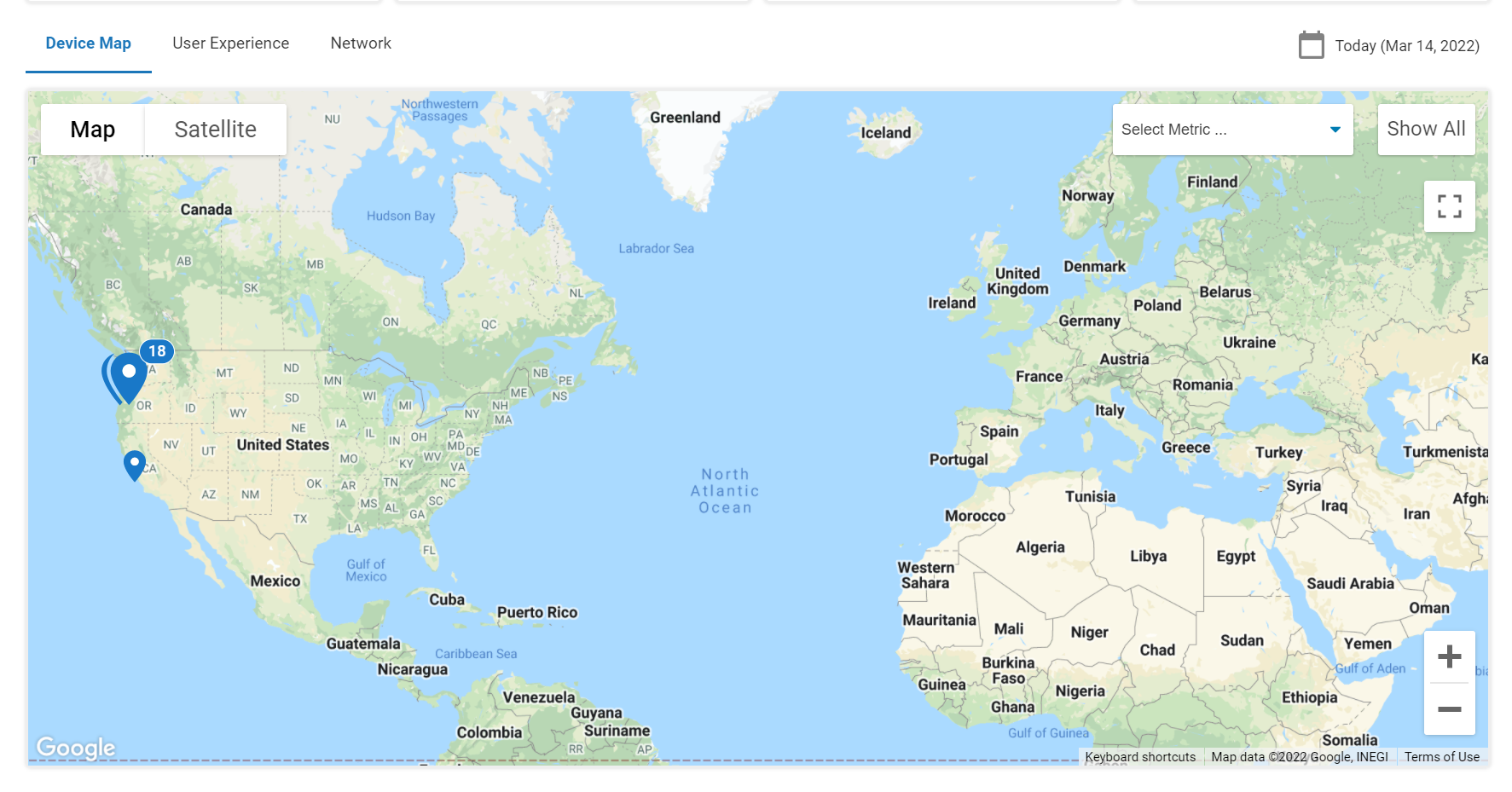
As a side note, astute observers may have noticed that to the right of the drop-down menu is a Show All button and a square icon. These are not associated with this new feature. The Show All button will resize the map to best fit all the devices that you are tracking.

Before clicking Show All, the entire world is shown.
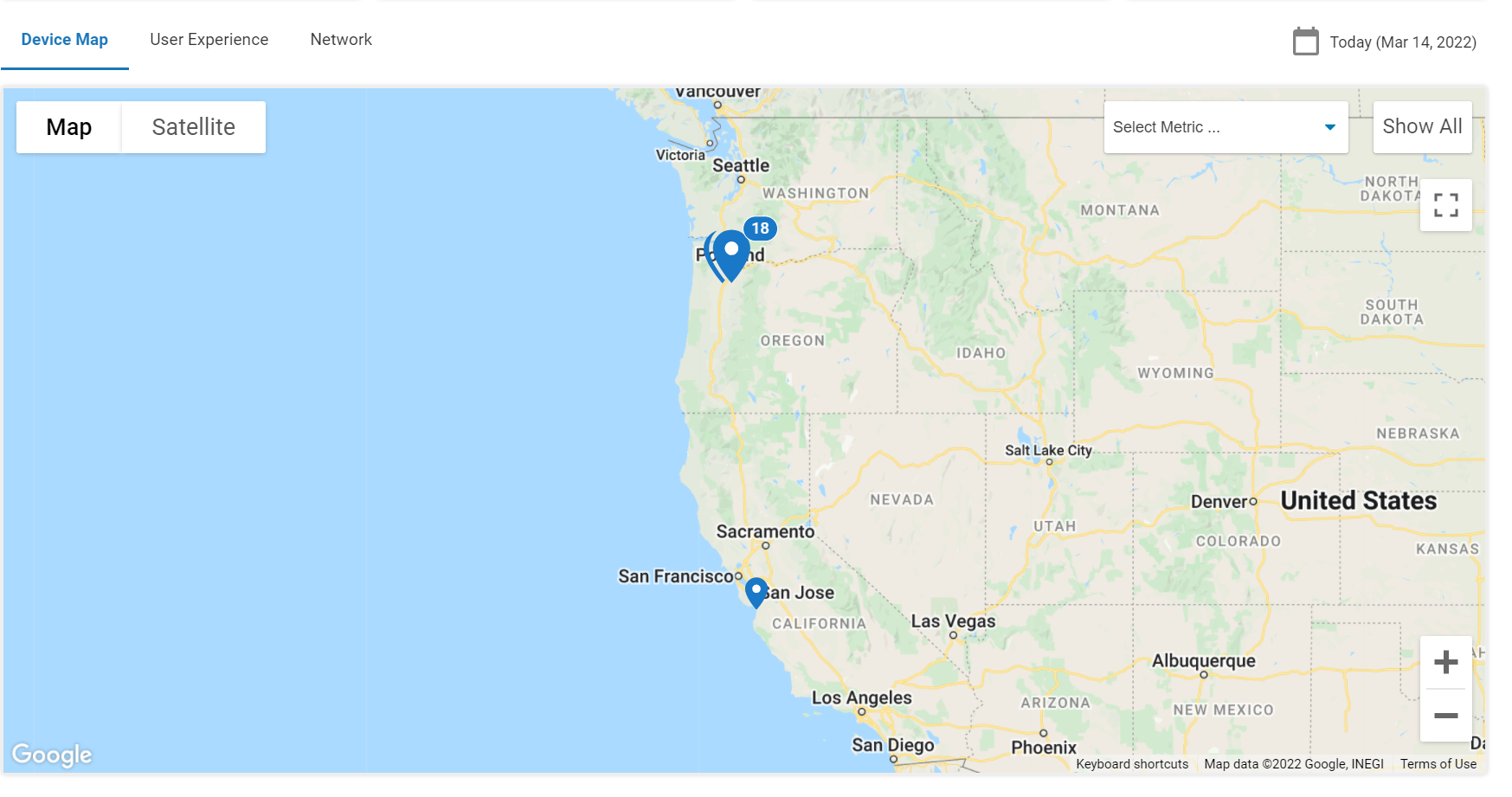
After clicking Show All, the map was resized to “best fit” all the devices.
The square icon will toggle to full screen view. Once in full screen mode, you can click it again or press the esc key to exit full screen mode.
ControlUp for Physical Endpoints & Apps allows you to monitor your Windows-, Mac-, Linux-, and IGEL-based physical endpoints in real time, regardless of their location. With it, you can gain a holistic understanding of and detailed information about your endpoints. Delivered as a SaaS app, it is accessible from anywhere, is designed to work for organizations of any size, and be used by any audience, from IT admins to help desk employees.