ControlUp offers a rich set of capabilities to improve the digital experience for employees using any desktop, any application, anywhere.
Pulse AI analyzes real-time patterns across endpoints, apps, networks, and users. It suppresses expected activity to detect and alert only what matters.
Monitor, troubleshoot, and optimize every virtual desktop before slow sessions and app crashes interrupt your workforce.
ControlUp for DesktopsStay in control of every device. Prevent desktop issues before they disrupt employees or flood your IT queue.
ControlUp for ComplianceAutomate endpoint compliance across every device. Close security gaps and enforce policies without slowing IT down or getting in the way.
Pinpoint and fix SaaS and web app issues fast with real-time visibility across every device, browser, and network before employees feel the impact.
ControlUp Migrate for Windows 365Migrate faster with less risk. Automated workflows replace manual steps, so your move to Cloud PCs is done right.
ControlUp DaaS IQIntelligent autoscaling and cost control for Azure Virtual Desktop environments.
Smarter root cause analysis, automated remediation, and AI-powered diagnostics. Fix issues faster across every device and app.
Patching & RemediationDeploy patches and remediate vulnerabilities across every endpoint, automatically and at scale. Stay secure without overwhelming IT.
Endpoint Risk MitigationSpot, prioritize, and remediate risks automatically. Keep endpoints secure and compliant without slowing desktop teams down.
Live Remote ManagementReal-time endpoint telemetry and silent remote remediation. See and fix issues the moment they happen, without disrupting the employee.
Proactively prevent issues and resolve tickets faster wherever hybrid workers are, whatever device they’re on.
Autonomous IT OperationsShift IT from reactive to autonomous. Automatically detect, remediate, and prevent issues across your entire estate.
Increase IT EfficiencyDo more with less. One platform to centralize visibility, streamline operations, and free IT to focus on what actually matters.
IT Cost OptimizationRight-size VDI, reclaim unused licenses, and make smarter device refresh decisions backed by real usage data and performance metrics.
Explore content, tools, and insights to simplify IT and improve the digital employee experience.
A global organization of technology professionals transforming the desktop monitoring marketplace.
ControlUp offers a rich set of capabilities to improve the digital experience for employees using any desktop, any application, anywhere.
Pulse AI analyzes real-time patterns across endpoints, apps, networks, and users. It suppresses expected activity to detect and alert only what matters.
Monitor, troubleshoot, and optimize every virtual desktop before slow sessions and app crashes interrupt your workforce.
ControlUp for DesktopsStay in control of every device. Prevent desktop issues before they disrupt employees or flood your IT queue.
ControlUp for ComplianceAutomate endpoint compliance across every device. Close security gaps and enforce policies without slowing IT down or getting in the way.
Pinpoint and fix SaaS and web app issues fast with real-time visibility across every device, browser, and network before employees feel the impact.
ControlUp Migrate for Windows 365Migrate faster with less risk. Automated workflows replace manual steps, so your move to Cloud PCs is done right.
ControlUp DaaS IQIntelligent autoscaling and cost control for Azure Virtual Desktop environments.
Smarter root cause analysis, automated remediation, and AI-powered diagnostics. Fix issues faster across every device and app.
Patching & RemediationDeploy patches and remediate vulnerabilities across every endpoint, automatically and at scale. Stay secure without overwhelming IT.
Endpoint Risk MitigationSpot, prioritize, and remediate risks automatically. Keep endpoints secure and compliant without slowing desktop teams down.
Live Remote ManagementReal-time endpoint telemetry and silent remote remediation. See and fix issues the moment they happen, without disrupting the employee.
Proactively prevent issues and resolve tickets faster wherever hybrid workers are, whatever device they’re on.
Autonomous IT OperationsShift IT from reactive to autonomous. Automatically detect, remediate, and prevent issues across your entire estate.
Increase IT EfficiencyDo more with less. One platform to centralize visibility, streamline operations, and free IT to focus on what actually matters.
IT Cost OptimizationRight-size VDI, reclaim unused licenses, and make smarter device refresh decisions backed by real usage data and performance metrics.
Explore content, tools, and insights to simplify IT and improve the digital employee experience.
A global organization of technology professionals transforming the desktop monitoring marketplace.
Using the ControlUp Logon Simulator gives you the ability to have proactive notifications when applications become unavailable to your users. Each run by the simulator generates an event giving you the results of that run. This allows you to create an event based task to execute an action, or use the ControlUp Realtime Console to perform a trigger on the event. We’ll walk through downloading, installing and configuring the ControlUp Logon Simulator.
Start by downloading the ControlUp Logon Simulator.
Launch the installer as an Administrator.

Click Next to accept the path

Click Next to being the installation.

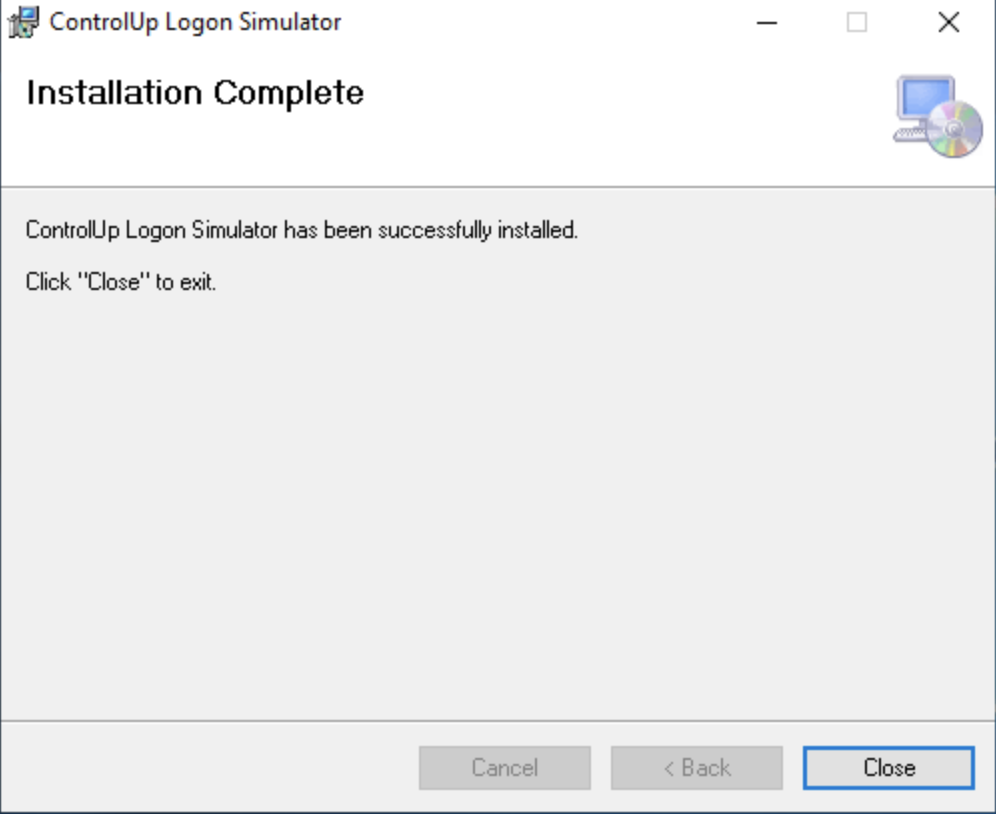
Click Close to complete the installation
Download the Workspace App from Citrix

Start the installation of Citrix Workspace App
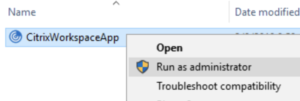


Login to the machine as the user whom does not have administrator rights.

Launch the Logon Simulator

Accept the EULA
Enter your Store URL as found in Storefront.


Enter “Resource To Launch” with the matching text from the application name that is visible in StoreFront.

Enter the User Name of the account that will login to the Citrix Store and launch the application

Click the Green Arrow to test launching the application
Once the test is successful, tweak the timers to ensure the repeat interval has sufficient time between runs for the user to log off successfully.